Quick Start for Excel Users
Start from Excel and let Codcel generate apps, APIs, and code for you.
Step 1: Download Codcel Desktop
Get the Codcel desktop application for Windows, macOS, or Linux from our downloads page.
Step 2: Tag your Excel file
Add tiny inline tags so Codcel knows what your inputs and outputs are — without changing your spreadsheet.
Show step-by-step taggingHide tagging steps▾
Understand the sheet
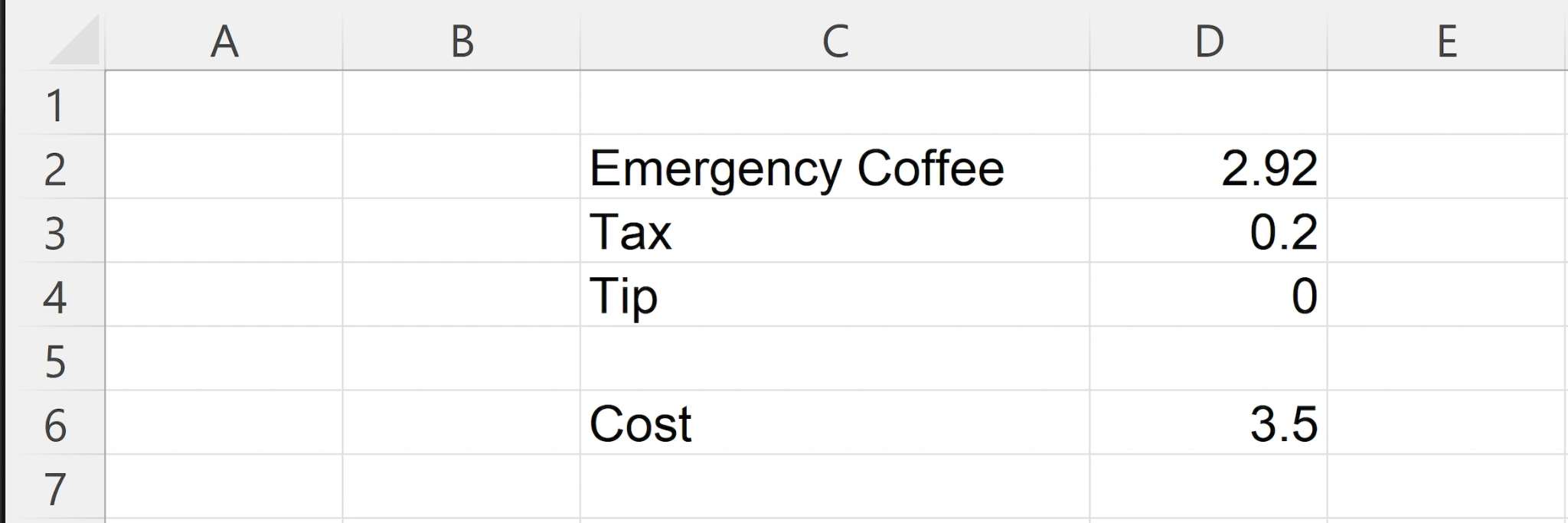
This example is intentionally tiny: a coffee Price, a fixed Tax, an optional Tip, and a final Cost.
Why this matters: Codcel doesn't need you to redesign anything — it just needs to know which cells are "inputs" and which cell is the "output".
Check the Cost formula
The total cost is just:
In Excel rounding to 2 decimal places:
Why this matters: Codcel will turn this exact logic into real code — but it must know which values your app/API should accept as inputs.
Add tiny tags (what to do)
Add inline tags next to the cells you want Codcel to treat as inputs and outputs:
- *I*D2*Tag the coffee price as an input (because users will change it).
- *ID*D4*Tag the tip as an input with a default (so the API/UI can start from 0).
- *O*D6*Tag the cost cell as the output (what your API returns).
Why this matters: these tags tell Codcel which cells become API parameters, which become defaults, and which values should be returned as results.
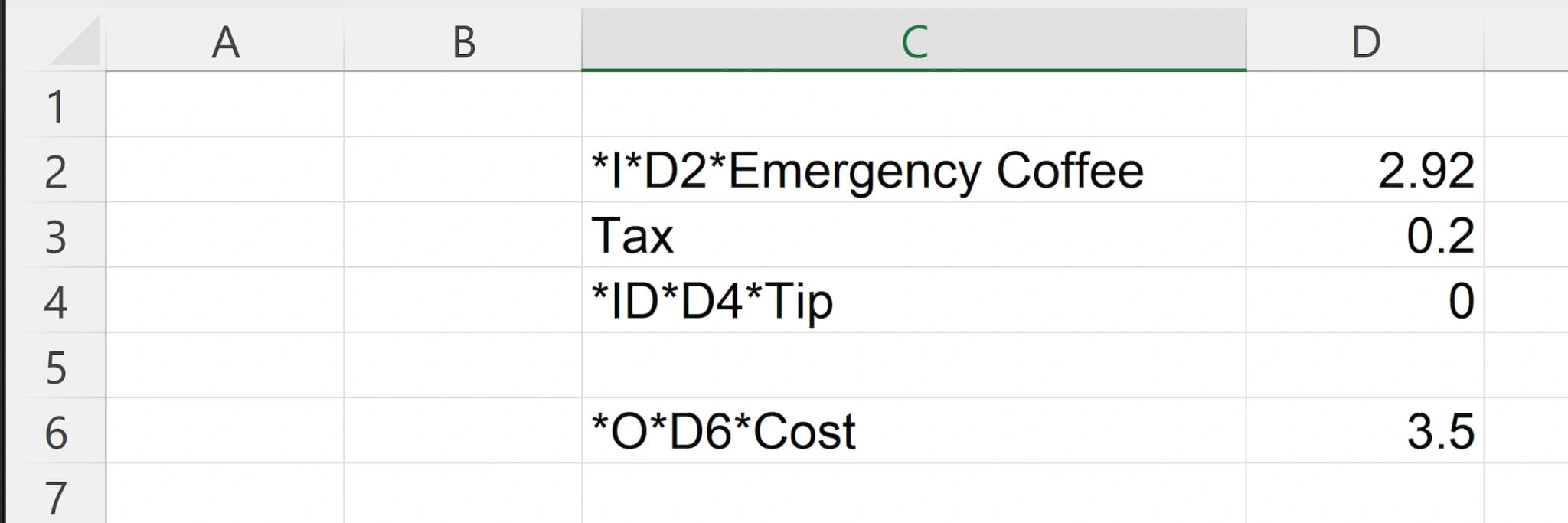
That's it — you now have inputs and an output. Next, you'll place the file into Codcel and choose what to generate.
Step 3: Generate a Full UI
Drag your Excel file into the Codcel Desktop and generate a full Web User Interface in minutes.
Show step-by-step UI generationHide UI generation steps▾
Step-by-step instructions coming soon. In the meantime, please watch the video for a complete walkthrough.
Step 4: Run a Full UI
Learn how to run the generated Full UI locally on your computer.
Show step-by-step running instructionsHide running instructions▾
Step-by-step instructions coming soon. In the meantime, please watch the video for a complete walkthrough.
Step 5: Test your Excel Spreadsheet
Learn how to run individual and bulk tests against your Excel Spreadsheet in the running full Web UI.
Show step-by-step testing instructionsHide testing instructions▾
Step-by-step instructions coming soon. In the meantime, please watch the video for a complete walkthrough.